Blog › Planner palettes · 2 min read
Warm neutrals colour palette: minimal hex codes for your planner
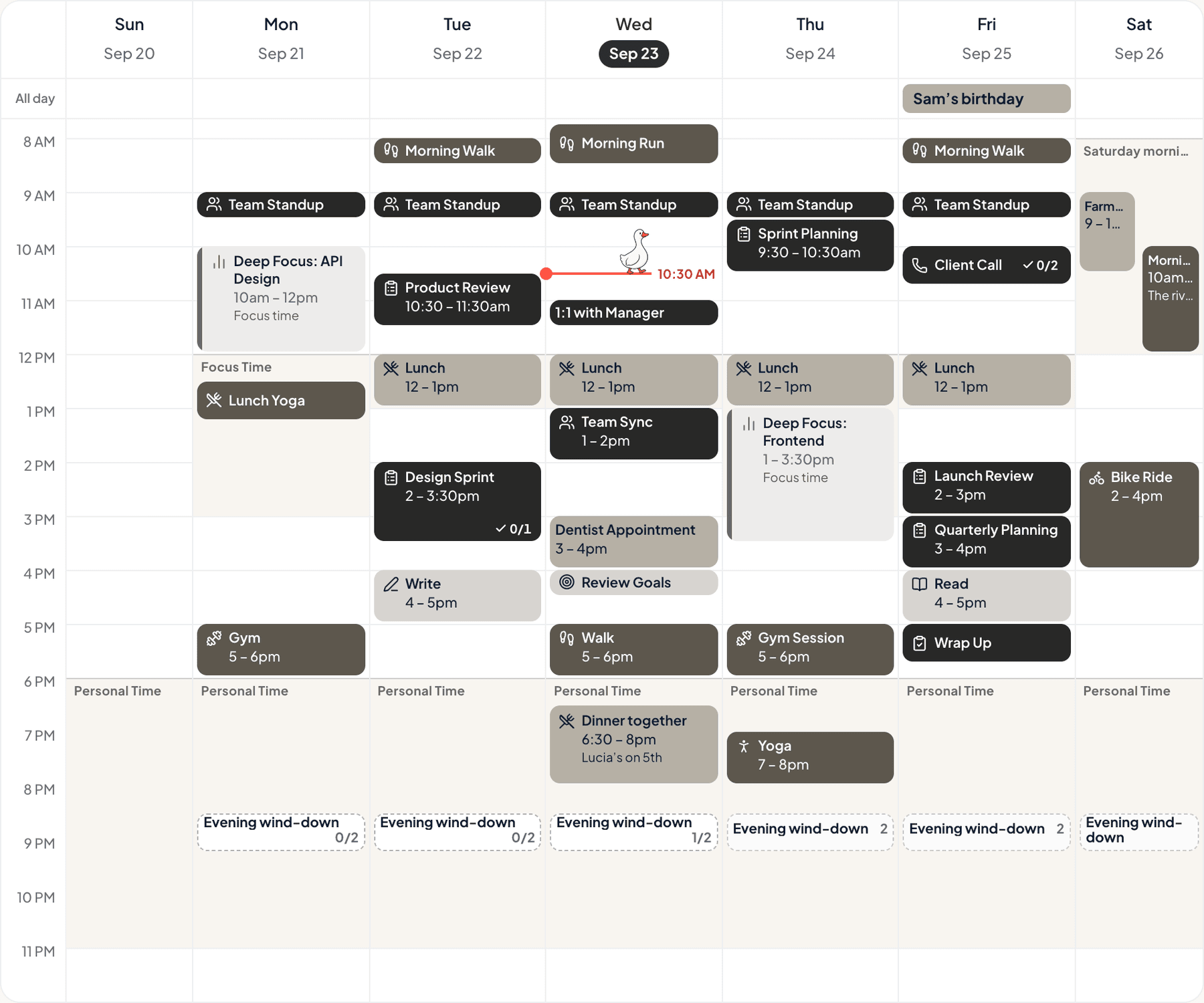
Charcoal, taupe, greige and off-white. No colour at all, really, just four warm greys. It’s for people who want their calendar to be quiet.
Warm neutrals
Tap a colour to copy it
Where each colour goes
| Colour | Hex | Use it for |
|---|---|---|
| Work (charcoal) | #2E2E2C | Work blocks, in a soft charcoal |
| Health (taupe) | #8C8579 | Movement and rest, in a mid taupe |
| Personal (greige) | #CFC8BC | Evenings and weekends, in a light greige |
| Goals (off-white) | #F4F1EC | Your goals, in off-white |
| Accent (charcoal) | #2E2E2C | Buttons, today’s date and highlights |
| Protected time (off-white) | #F4F1EC | A soft wash over your protected time |
Quiet, but still readable
A neutral palette only works if the steps between its colours are big enough to see. These four go from nearly black to nearly white, so each category is still clear. On your week, Anser draws events as soft tints, so the charcoal shows as a calm grey. For a stronger look, choose Bold in Settings › Appearance › Colours.
Your week in warm neutrals
The week at the top of this post is a real week in Anser, in the Summer Picnic style with the Bold look for categories, so every event shows its full colour. To get the same look, open Settings › Appearance › Colours › How categories look and choose Bold. The palette works in every style.
A week with less in it
- Three priorities a day. The rest is extra.
- Clear one surface. A desk, a shelf, a bag.
- Say no to one thing.
- One evening with no screens.
Make it in Anser
The quickest way: tap Use this palette in Anser on the palette. It opens on your own week, to keep or undo. To set it up by hand:
- In Anser, open Settings › Categories. Tap the colour next to Work and paste its hex code. Do the same for Health, Personal and Goals.
- Open Settings › Appearance › Colours and tap Save as my palette, so you can switch back any time.
- Still in Colours, under Accent, choose Your own and paste the accent.
- Open Settings › Boundaries › How protected time looks, choose Your own and paste the protected time colour. It also colours your Deep Focus time.
Changed your mind? Your saved palettes are under See all in Settings › Appearance › Colours.
Pair it with a calm week
3 priorities. Lots of buffer. That’s the schedule. The Low-Overwhelm Day is a free schedule template you can add to your calendar or preview in Anser.
Use this in Anser
The Low-Overwhelm Day
See it on your own week first. One tap to undo.
More palettes like this
Try Anser free for 14 days, no card needed. A calm weekly planner that works with your Google Calendar, in the colours you like.