Calendar · Routines · Habits · Notes
The digital planner you’ve been waiting for.
Your calendar, routines, habits, to-dos and notes in one calm, beautiful place. It looks the way you like, fits the way you live, and guards the time that matters most.
NO CARD NEEDED · TWO-WAY GOOGLE CALENDAR SYNC
Works with Google Calendar and Google Meet, as a Mac app and in Chrome’s toolbar. iPhone, iPad and Android apps are coming soon.
THE TOUR · 7 DIVIDERS
A planner with a place
for everything.
Like the dividers in a paper planner, every part of your life has its own tab. Flip to any of them.
01 — MATCHES YOUR AESTHETIC
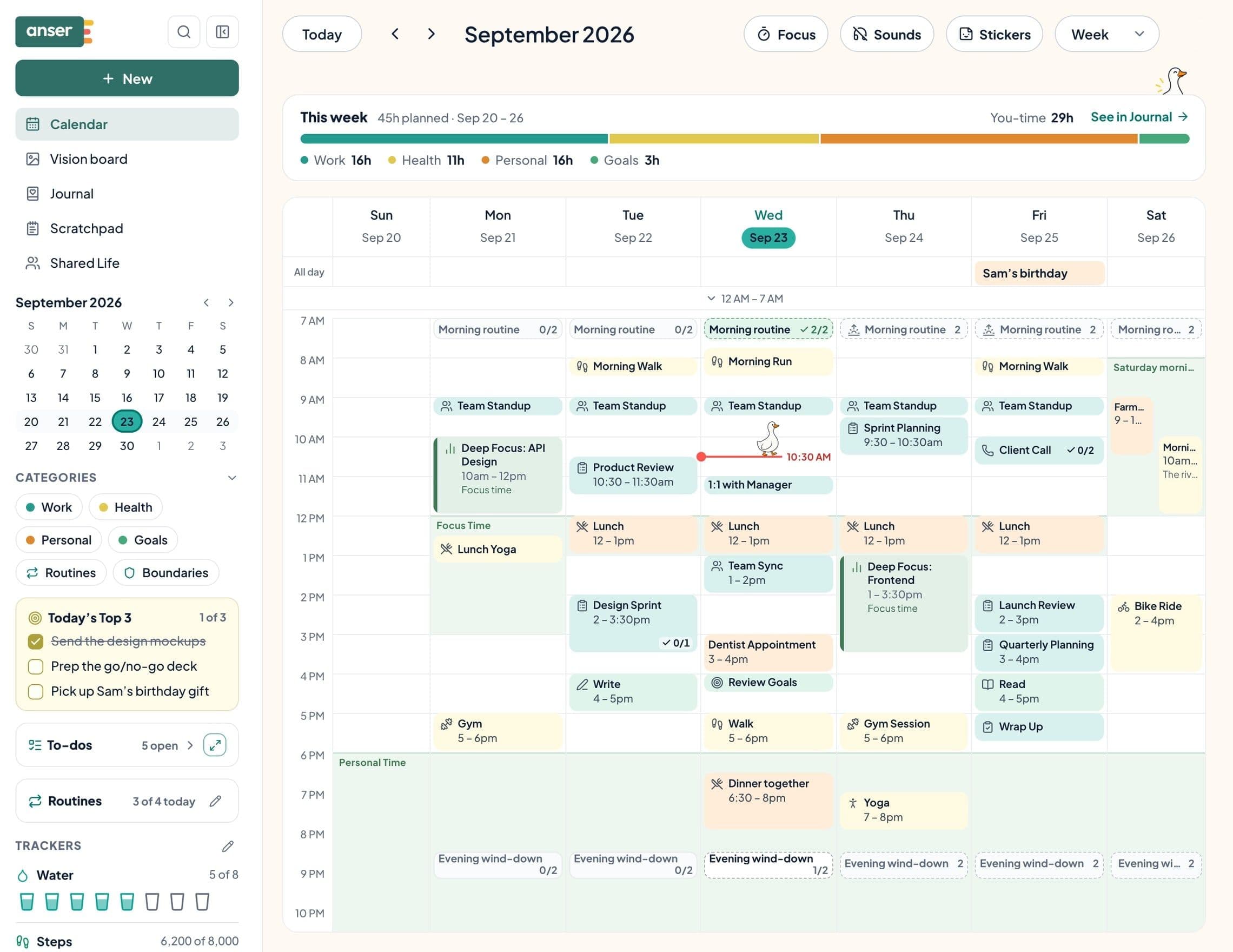
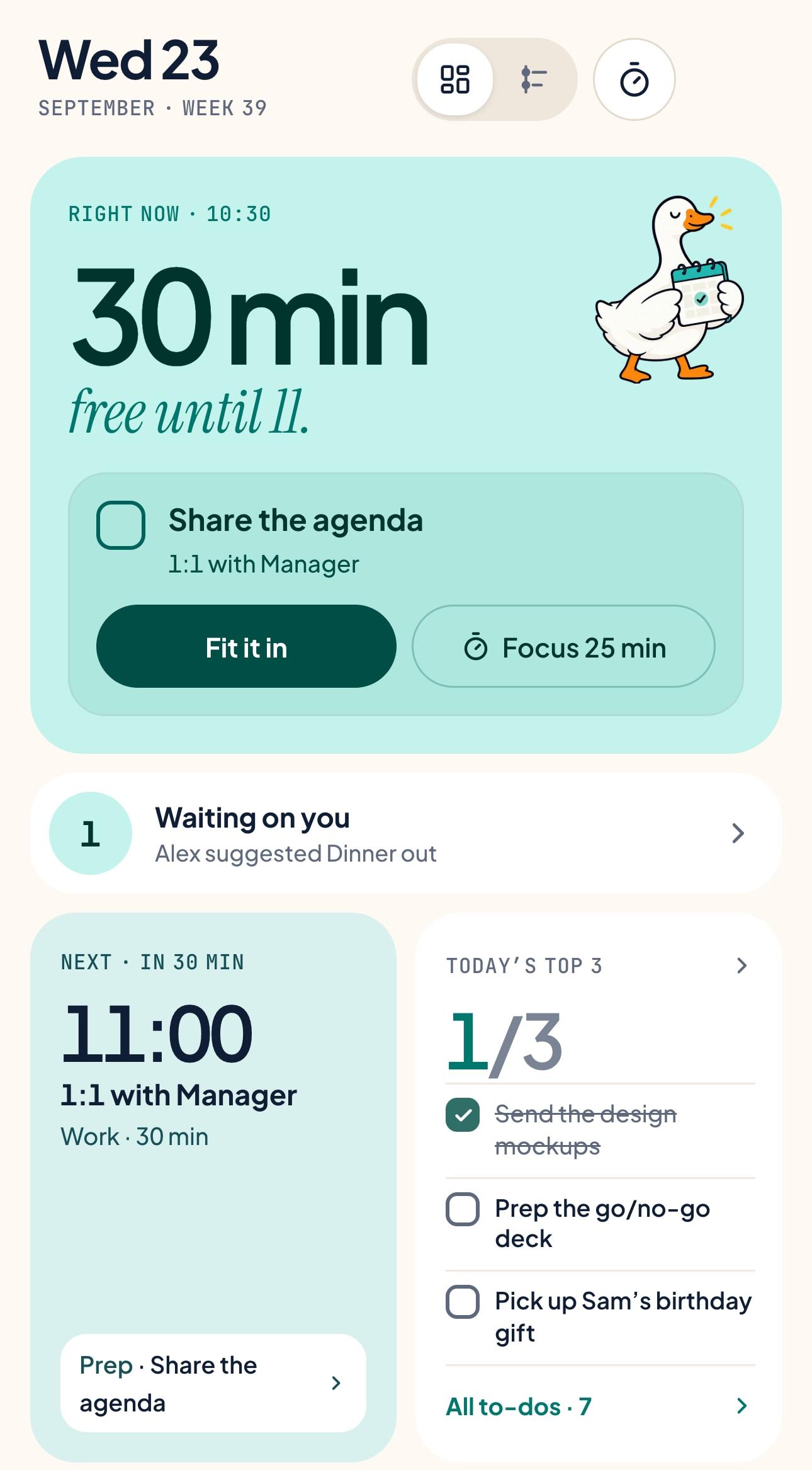
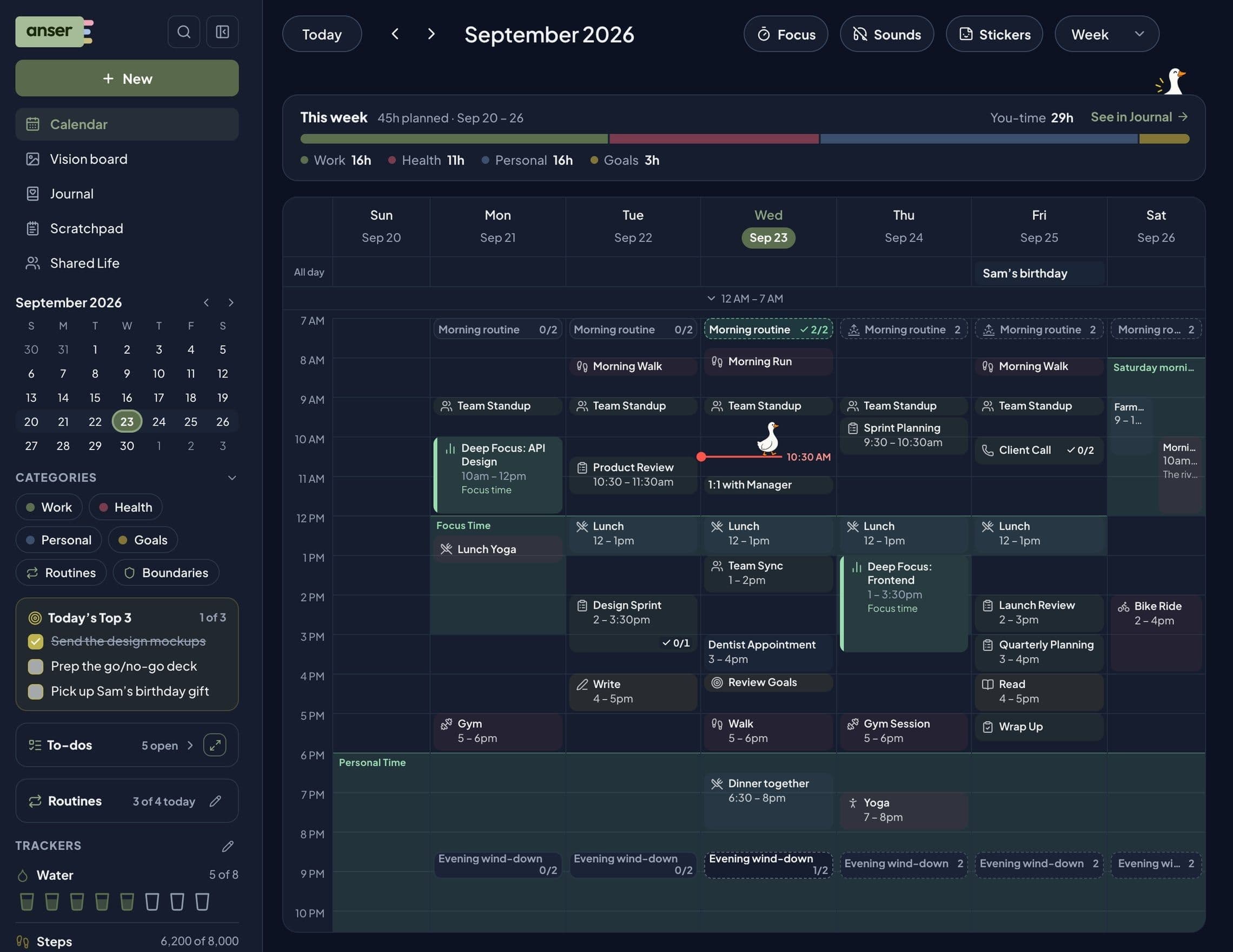
Same week. Your look.
Pick a style, a palette and a font, then make it yours down to the category colours. Anser rearranges how it looks, never how it works.
The name fits the first companion: anser is the Latin word for goose.
Evergreen, airy and clear: Anser as it opens on day one.
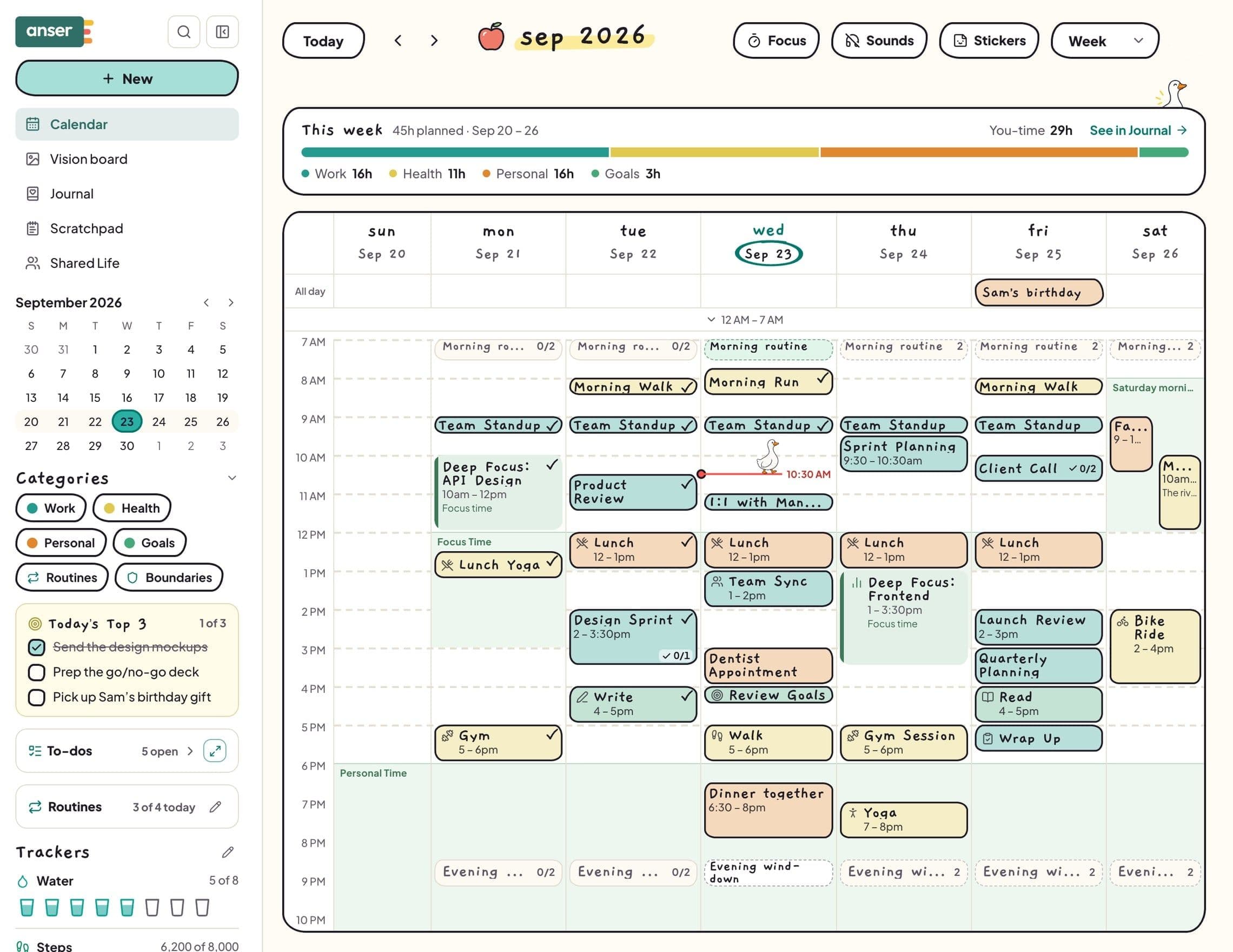
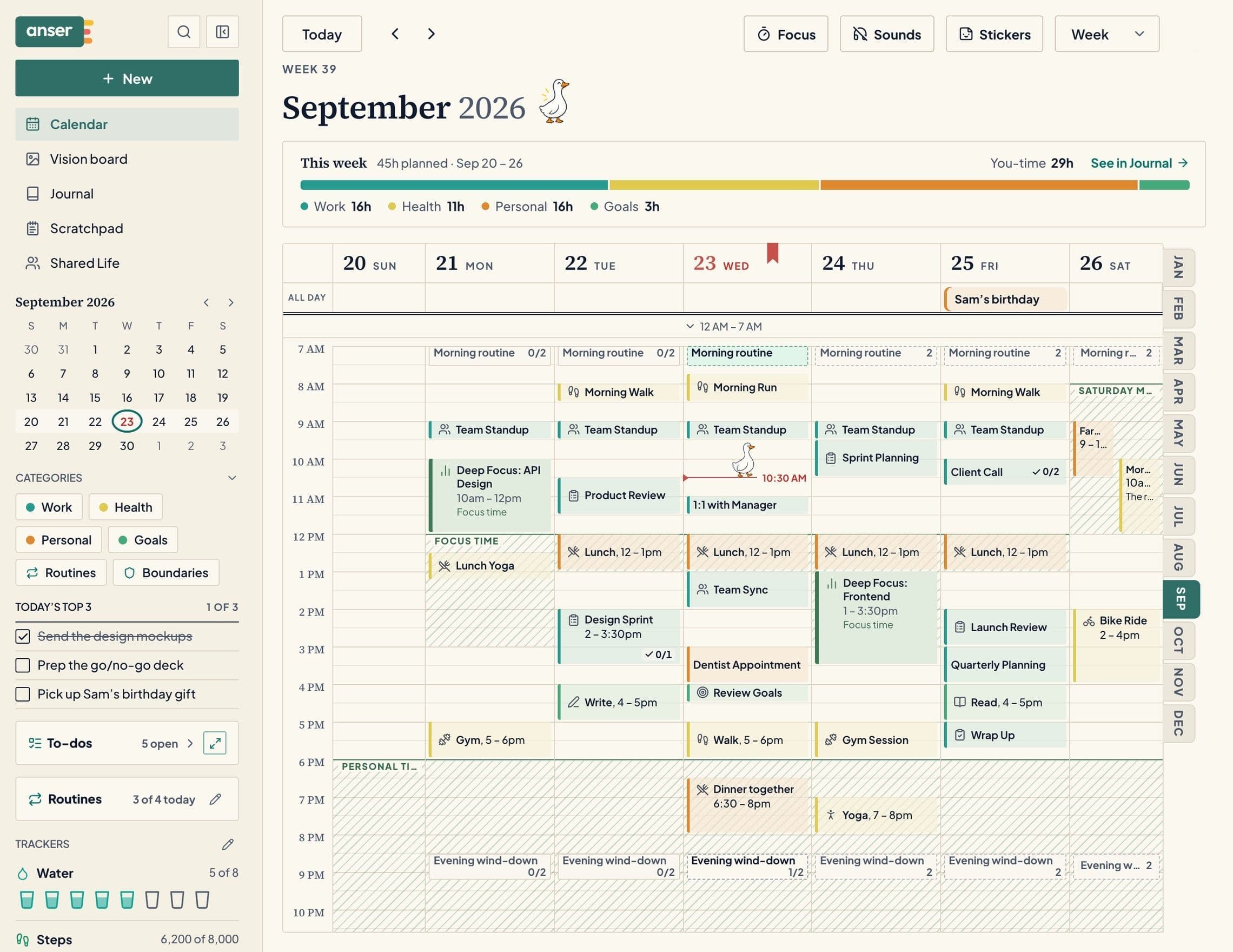
Styles
Hand-drawn with a doodle each month. Ruled like a paper planner, month tabs and all.
Palettes & fonts
Ready-made palettes, soft font packs, or change any colour and save it under your own name.
A cover of your own
Open Anser to your closed planner, with your cover, the date and what’s next, then open it where you left off.
Easy on the eyes
Text size, contrast, motion and an easier-to-read font. Your look follows you to every device.
02 — FITS YOUR ROUTINES
Routines that live on your calendar, not in another app.
Morning skincare, a toddler’s bedtime, the evening wind-down. Set the time and days, tick each step right where it sits in your day, and watch every step keep its own streak.
- Start from a templateand change any step
- A streak for every stepnot just the whole routine
- Tick it from Chrome’s toolbarwithout opening a tab
- Done: Cleanse & SPF12-day streak
- Done: Vitamins6-day streak
- 10-minute stretch3-day streak
03 — TRACKS YOUR HABITS
Count what counts. Skip the guilt.
Trackers join your sidebar the moment you add your first. Badges only ever go up, so a missed day never takes anything away.
Grateful for
“Sam’s call, and sun at lunch.”
No target unless you set one.
A soft hatch on your own calendar. Private, always.
Vitamins, pages read, minutes outside. If you count it, Anser can track it, with a daily goal you choose.
04 — CARRIES YOUR TO-DOS AND NOTES
Everything you write down, in one place.
Type a to-do the way you’d say it, “call the vet fri”, and it lands on Friday. A board shows what’s to do, doing, waiting and done this week.
To do 3
Doing 1
Waiting 1
Done this week 2
Drag a to-do onto the calendar to give it a time.
Tables, links, checklists and formatting in every note. Search finds them, from any date.
The run before stand-up made the whole morning feel lighter. Kept the evening clear for dinner with Sam, worth protecting.
05 — PROTECTS YOUR TIME
Your evenings are not open for meetings.
Set boundaries once, like Personal Time or Deep Focus. When a meeting lands inside one, Anser tells you, and you choose: let it through this once, or say no in your own words.
Thanks for the invite. This time doesn’t work for me. Could we find another time, please?
On the invite, signed “Protected with Anser”
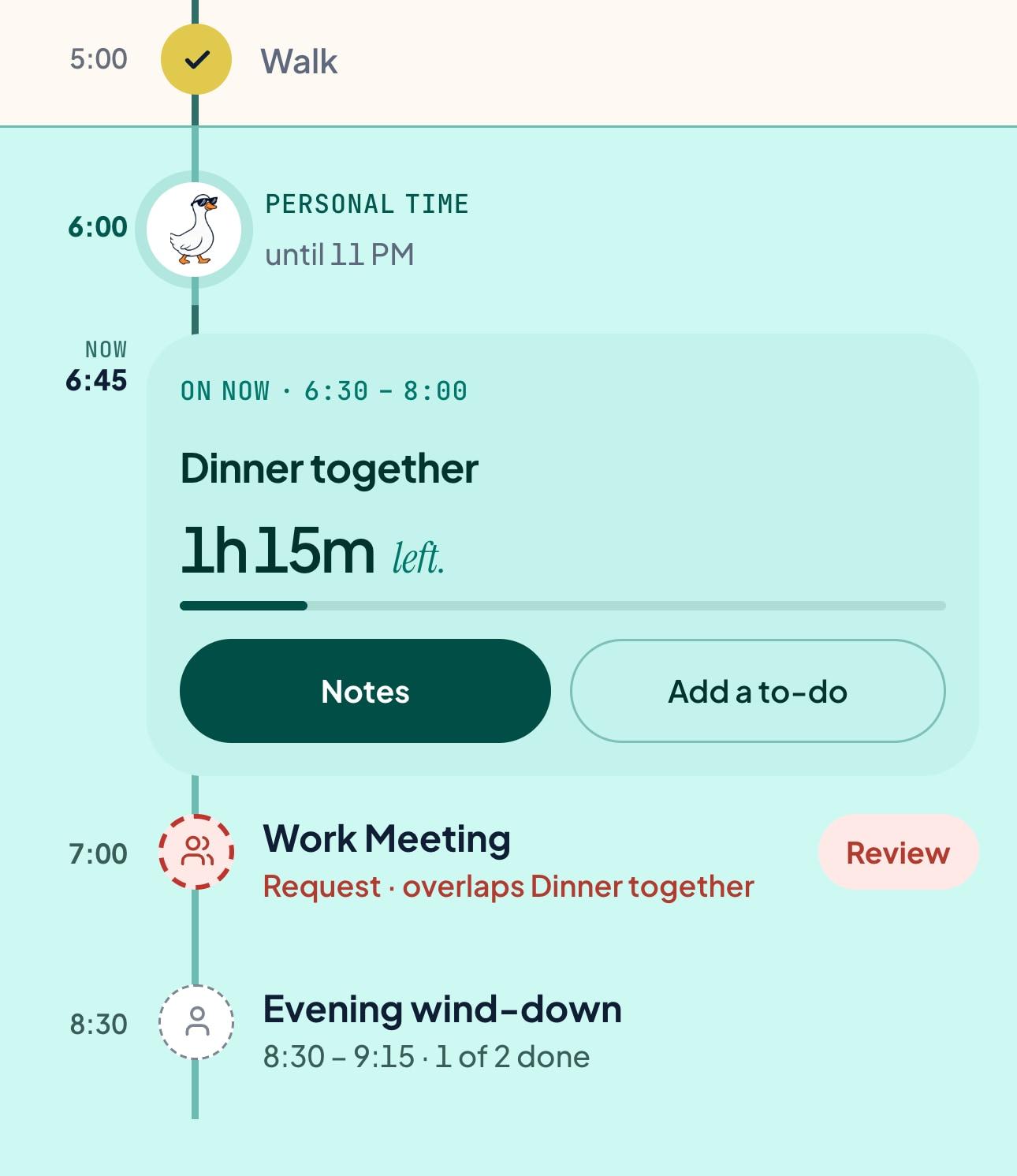
Allow it this once, or decline it in your words.
Boundaries
Protected time in a soft colour you pick, so it’s obvious at a glance.
Focus timer
Rounds, breaks and background sounds, and it can protect the time on your calendar.
Planned vs. real
See how long you focused beside what you planned, by category and by event.
One week, one page
Notes › Time puts your week on one page: how your time was planned, your evenings, routines and goals.
06 — PLANS WITH FAMILY
See when you’re both free. Never what’s in the way.
Shared Life shows the people you plan with busy and free, never your titles. Suggest a plan in the gap, and it can go into your Google Calendar too.
You: busy 9 to 11 AM, free 11 AM to 6 PM, protected time 6 to 9 PM. Maya: busy 9 AM to 1 PM, free 1 to 6 PM, busy 6 to 9 PM. Both free 2 to 6 PM.
- Invited friends join freeno plan needed
- Heads-ups on a shared calendaronly you can change them
- Sharing stays in your handspause it any time
BRING THEM IN
Invite the people you plan with.
When a friend you invited first pays, you get a free month, up to five.
Start planning together07 — GROWS WITH YOUR GOALS
From vision board to Tuesday.
A vision for the year, each quarter and each month, broken into small steps that land in a routine or straight on your calendar.
As a note, a tile, an index card or a calendar leaf, with gentle nudges before.
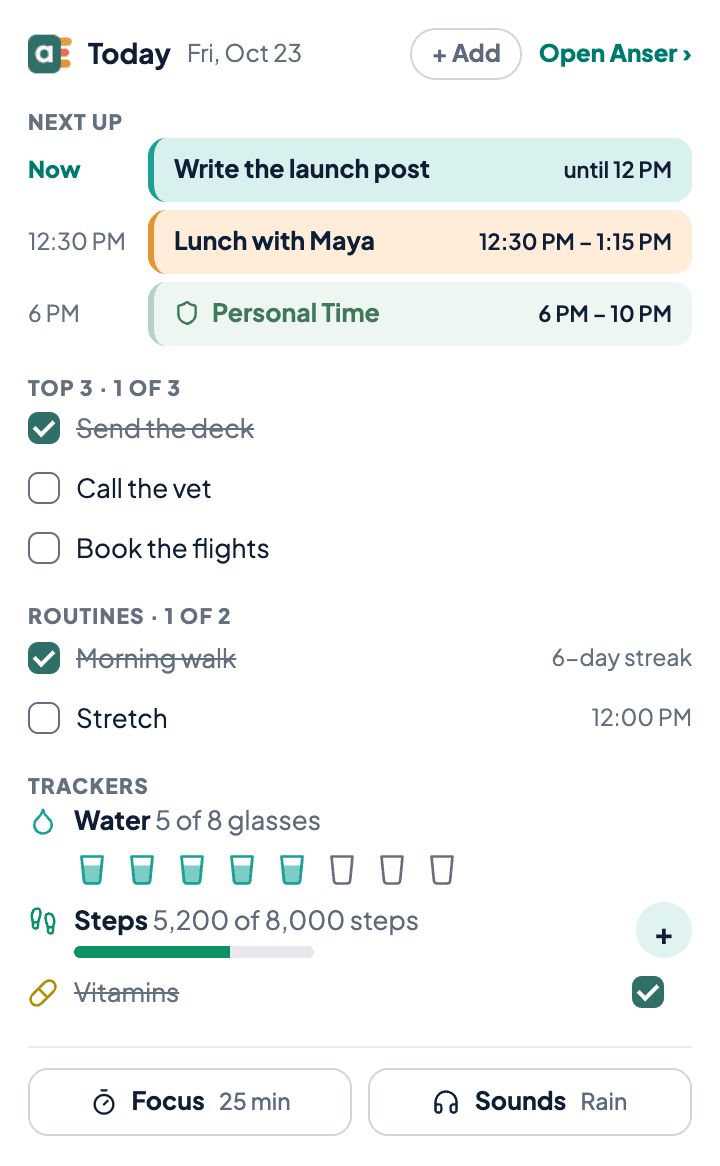
Tick your Top 3, routines and trackers, start a focus session or quick-add, without leaving the tab.
Your calendar and notes are private. Download everything in one ZIP, or delete your account yourself.
We don’t sell your data.
PRICING
Everything included. Try it for one week.
7 days free, no card needed. Anser reminds you before your trial ends.
$45/ yearNormally $95
About $3.75 a month · kept while you're subscribed.
Start your 7 days freeNo card needed · Cancel any time
- Calendar with two-way Google sync
- Boundaries, declines and a focus timer
- Routines, trackers and Today’s Top 3
- To-dos, Scratchpad and notes
- Vision boards and goals in small steps
- Shared Life: friends you invite join free
- Every style, palette and font
Prices in US dollars, plus tax where it applies. Invite a friend, and when they first pay, you get a free month. See full pricing →
Questions people really ask
You get 7 days free. No card needed. Anser reminds you in the app before the trial ends, and by email three days before and on the day it ends.
Yes. Connect it when you sign up with Google, or any time in Settings › Calendars. Anser shows the events already there, checks them against your boundaries, and saves new events you add in Anser to the Google calendar you choose.
In Settings › Calendars you pick which calendars to Show and which to Use for free time. Changes you make in Google usually show up in Anser within a few minutes, and Sync now checks straight away. If an event changed in both places, Anser asks which version to keep. Anser only changes your Google Calendar when you ask it to. When you save, move or delete an event with guests, Anser asks whether Google should email them; nobody is emailed unless you choose it, and the email is Google’s own, not Anser’s.
Anser keeps only what it needs: an event’s title, times, place or meeting link, and the names of the people on it (not their email addresses), or just when you’re busy for a calendar you use only for free time. Event descriptions aren’t copied, and notes you add to an event in Anser stay in Anser: they’re never sent to Google. Its checklist isn’t either, and routines stay in Anser unless you switch one on for Google Calendar. When you open an event that came from Google, its description is read from Google at that moment to show you, and Anser keeps none of it. A description you write for an event’s guests is the one text that is sent: it’s saved to the Google event, where your guests read it. If you change it in Google afterwards, Anser doesn’t see the change. Turn a calendar off and its events are removed from Anser, apart from the ones you made in Anser; they stay in Google.
No. Friends you plan with in Shared Life join free, always. They only pay if they want their own full Anser.
Only you. Today’s page and your notes, with their tags, your trackers, your to-dos, your moods, gratitude notes and reflections, and your vision board are private to you. Photos and files you attach are kept in private storage that only your account can open. None of it is shared with Shared Life.
If you share a calendar, the people you add can see that calendar’s events, notes included.