ANSER FOR CHROME
Your day, one click away.
Anser for Chrome puts today in Chrome’s toolbar. Click the Anser icon and you see what’s next, your Top 3, your routines and your trackers, without leaving the tab you’re in.
Free in the Chrome Web Store. It needs an Anser account.
On a phone, or in another browser? The extension is for Chrome on a computer. Anser itself opens in any browser. Start your 14-day free trial.
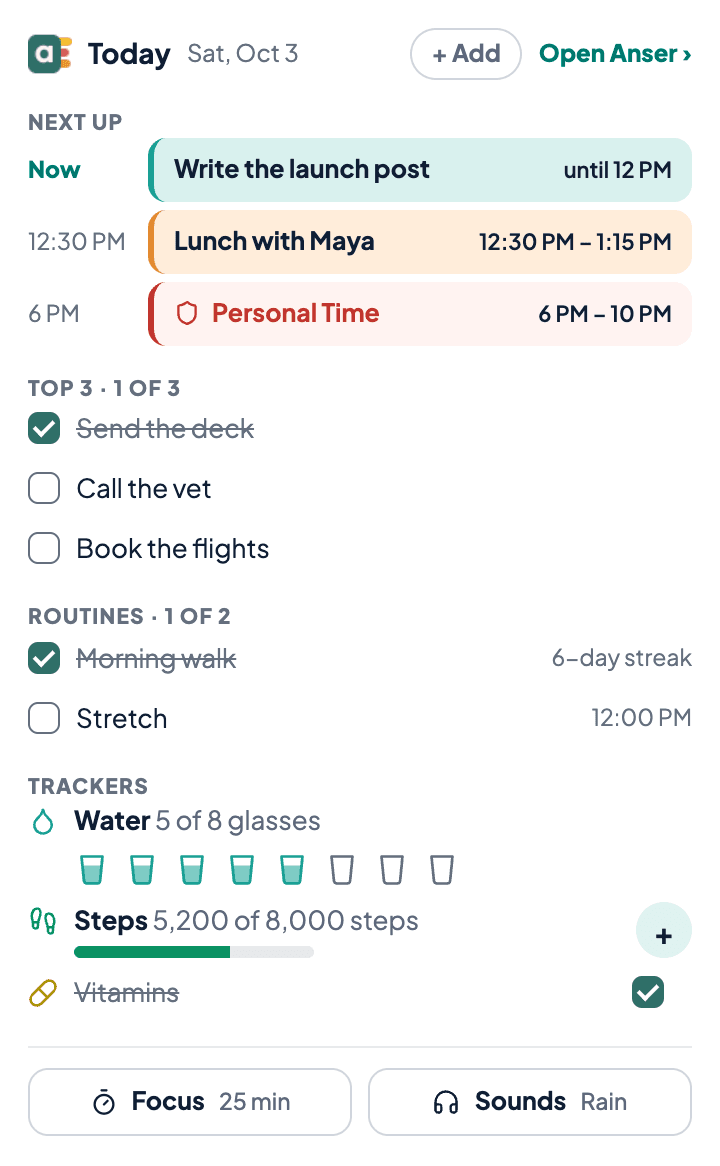
Today, without opening Anser.
See what’s next
What’s on now and the next things today, up to 4, with the time you’re protecting. Click an event to open it in Anser and change it.
Tick it off
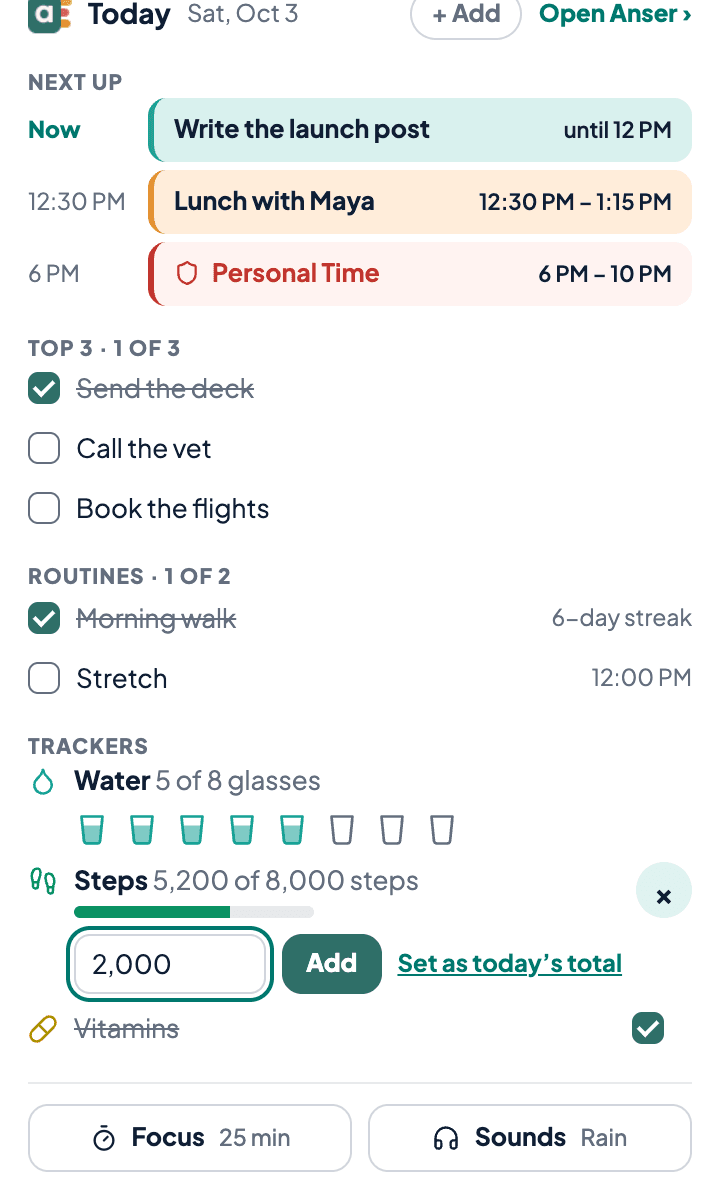
Tick off your Top 3 or add to it, tick today’s routines and keep their streaks, and add to a tracker: tap a glass of water, or type your steps. It’s saved to your Anser account, so it’s the same on your phone.
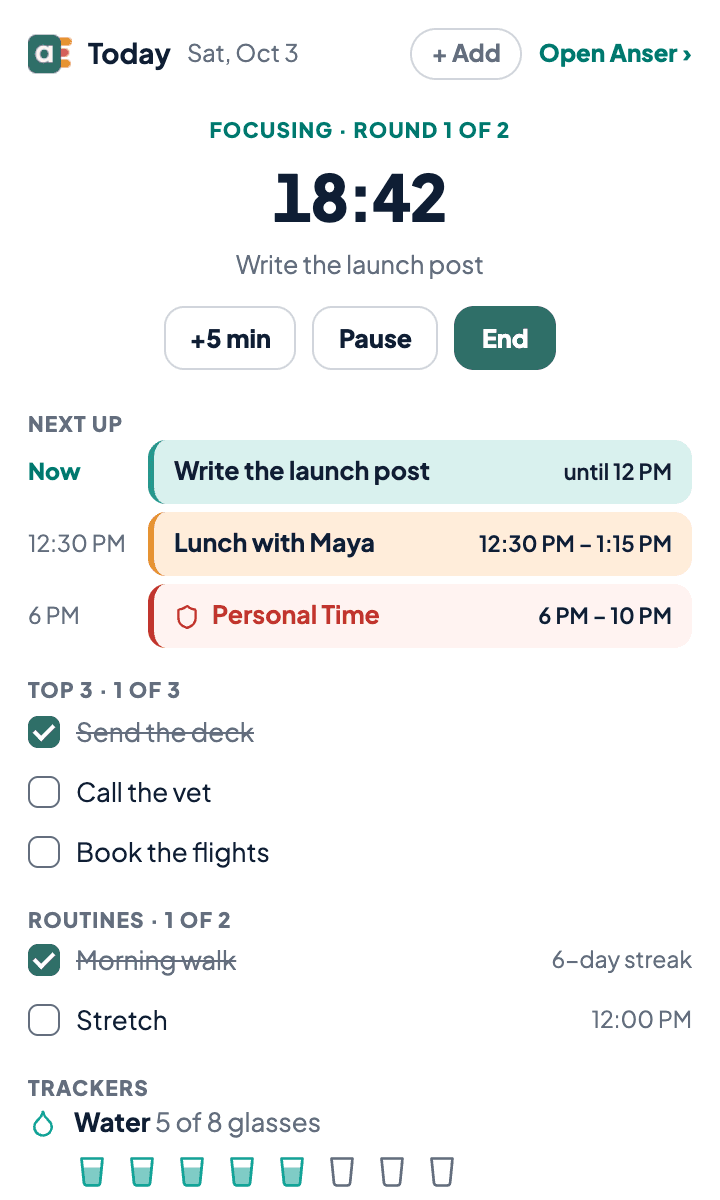
Focus, with the minutes on the icon
Start a focus session from the popup. It’s the same timer as in Anser, and the toolbar icon counts the minutes down. Anser’s background sounds (rain, café, fireplace, forest, lo-fi) keep playing with the popup closed.
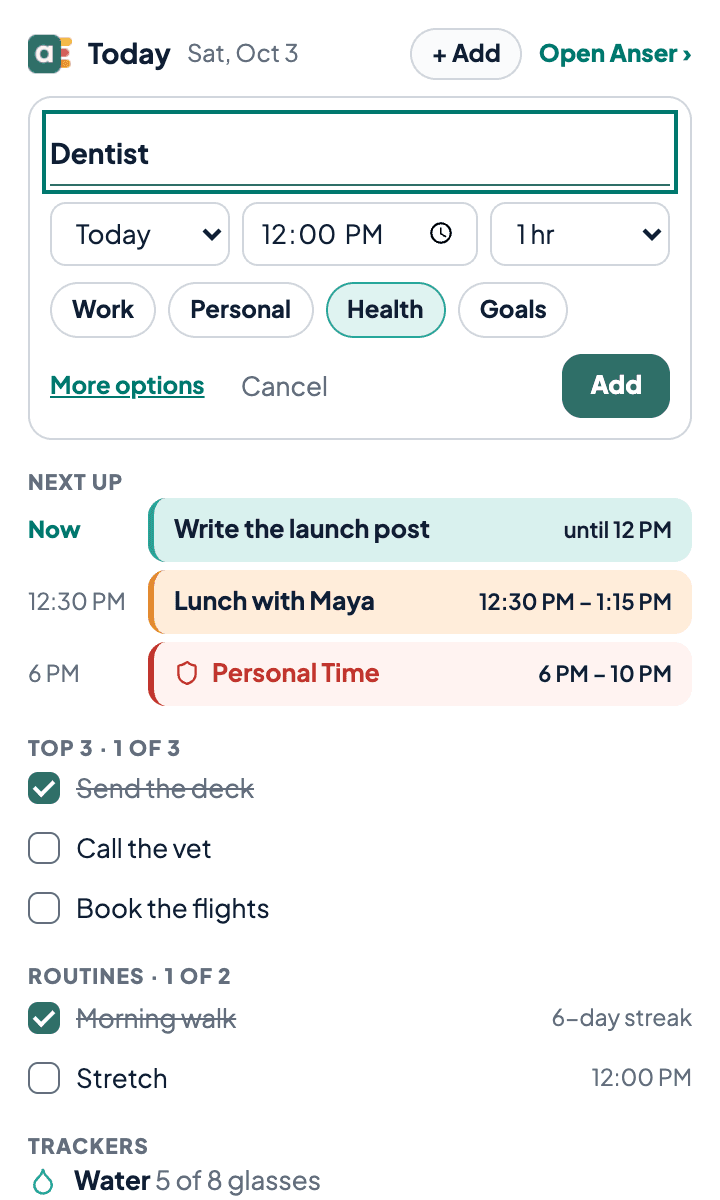
Add an event in seconds
Press “+ Add”, or N, type a title and pick a time. It’s on your calendar. Work that would land in time you protect strongly goes to Anser to review first, as it does in the app.
It looks like your Anser.
Your style, palette and fonts, light or dark: the popup takes the look you chose in Anser.
 Hand-drawn
 Ruled
Ruled Dark
Dark
Set up in a minute.
Add it to Chrome
Press “Add to Chrome” on this page, then the same button in the Chrome Web Store. There it’s called Anser Digital Planner.
Pin it
Click the puzzle piece (Extensions) at the top right of Chrome, then the pin beside Anser Digital Planner. The Anser icon stays in your toolbar.
Open it
Click the icon, or press Alt+Shift+D. It uses your normal Anser sign-in, so if you’re signed in to Anser in Chrome there’s nothing to set up.
What it can see, and what it can’t.
It reads
- Your day in Anser: what’s next, your Top 3, routines and trackers, read from anserplanner.com with your usual sign-in.
- One copy of today, kept in Chrome on your computer so the popup opens at once. It’s read again when Chrome starts and once just after midnight, and deleted when you sign out of Anser.
- Whether you’re signed in to Anser. It checks that Anser’s sign-in cookie is there, by its name only.
It never reads
- The pages you visit, your tabs or your browsing history.
- Any site but anserplanner.com.
- Your new tab: it doesn’t change it.
- Your Gmail, or anything in your Google account.
What it asks Chrome for, and why
No ads, and we never sell your data. The privacy policy has a section on Anser for Chrome.
It’s free. It needs an Anser account.
The extension costs nothing. It shows your Anser, so it needs an Anser account: free for 14 days, with no card needed. Not signed in, the popup offers Sign in or the free trial. After a trial ends, it still shows your day; ticking and adding need a plan.
What a plan includes and what it costsTo remove it, open Chrome’s Extensions menu (the puzzle piece), find Anser Digital Planner, and choose Remove from Chrome.
Chrome and the Chrome Web Store are trademarks of Google LLC. Anser isn’t affiliated with Google.
If Chrome says “This extension is not trusted by Enhanced Safe Browsing”: Chrome shows that notice to people who have Enhanced protection turned on, when an extension’s developer is new to the Chrome Web Store. We are new there: Google says it generally takes a new developer a few months to become trusted. Google’s explanation (opens Google’s help in a new tab) · What Anser for Chrome can and can’t see