Blog Planner palettes 2 min read
Greenery bedroom colour palette: calm green hex codes for your planner
A greenery bedroom colour palette with hex codes: monstera, fiddle leaf, linen and oak floor. Calm plant greens for your planner.
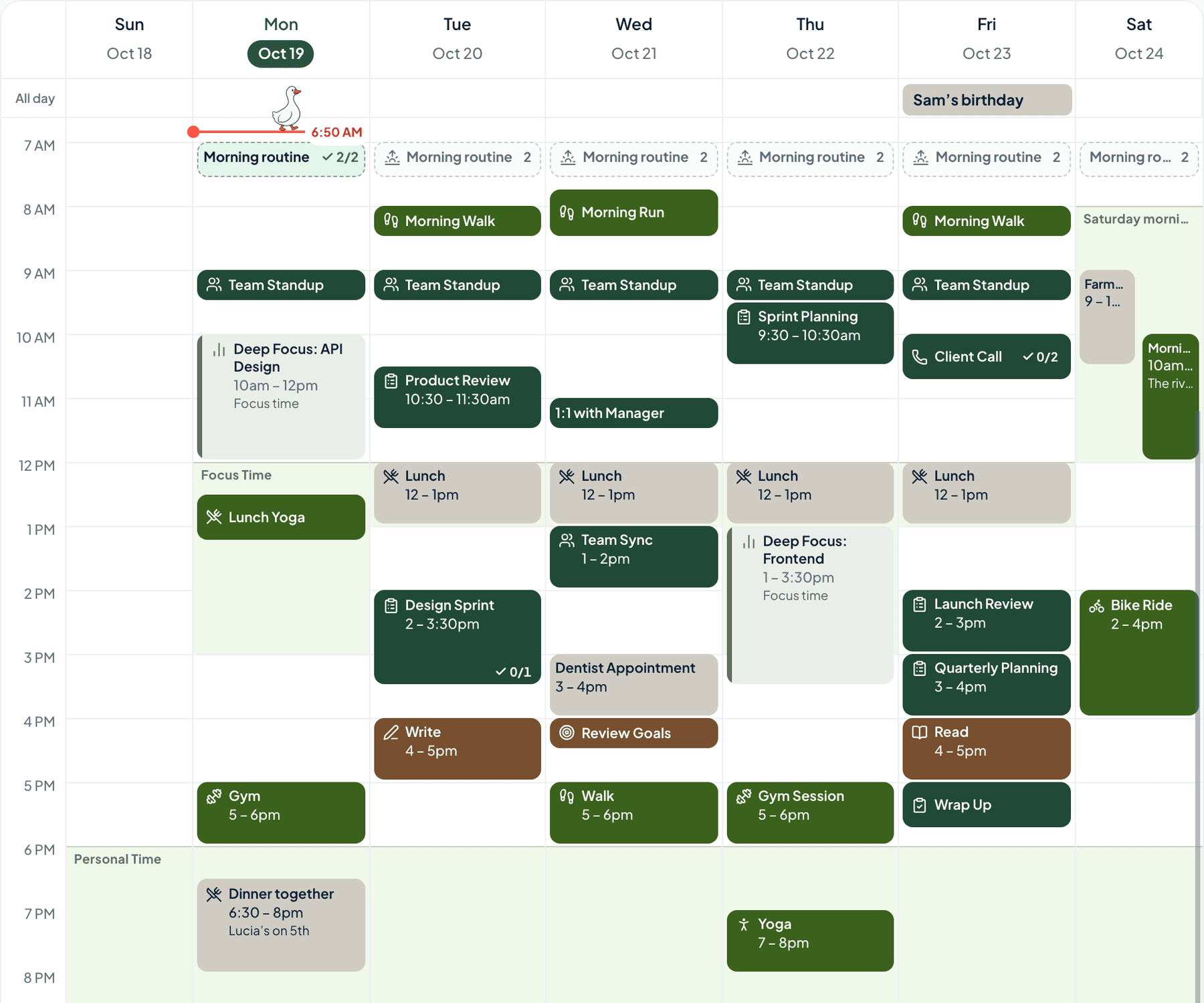
Monstera, fiddle leaf, linen and oak floor. A bedroom full of plants, with the morning light coming in.
The palette
Greenery bedroom
Tap a colour to copy it
Where each colour goes
| Colour | Hex | Use it for |
|---|---|---|
| Work (monstera) | #24543F | Work blocks, in a deep monstera green |
| Health (fiddle leaf) | #5C8A3C | Walks, water and sleep, in fiddle leaf |
| Personal (linen) | #ECE8DF | Your own time, in linen |
| Goals (oak floor) | #9A6B45 | What you’re working towards, in oak |
| Accent (monstera) | #24543F | Buttons, today’s date and highlights |
| Protected time (pale leaf) | #E6EEDF | A soft wash over your protected time |
Two greens, linen and oak
The two greens carry most of the week, and because they’re from the same plant, it looks fresh without getting busy. Linen is the bedding: the palest colour, kept for your own time. Oak is the floor, the one warm colour, on Goals, so it stands out against the green.
Your week in greenery bedroom
The week at the top of this post is a real week in Anser, in the Summer Picnic style with the Bold look for categories, so every event shows its full colour. To get the same look, open Settings › Appearance › Colours › How categories look and choose Bold. The palette works in every style.
A week that grows a little
- Water the plants on the same day each week. Put it on the calendar.
- Open the window first thing.
- Clear the bedside table. A plant, a book, a lamp.
- Bed half an hour earlier, once.
Make it in Anser
The quickest way: tap Use this palette in Anser on the palette. It opens on your own week, to keep or undo. To set it up by hand:
- In Anser, open Settings › Categories. Tap the colour next to Work and paste its hex code. Do the same for Health, Personal and Goals.
- Open Settings › Appearance › Colours and tap Save as my palette, so you can switch back any time.
- Still in Colours, under Accent, choose Your own and paste the accent.
- Open Settings › Boundaries › How protected time looks, choose Your own and paste the protected time colour. It also colours your Deep Focus time.
Changed your mind? Your saved palettes are under See all in Settings › Appearance › Colours.
Pair it with a calm week
3 priorities. Lots of buffer. That’s the schedule. The Low-Overwhelm Day is a free schedule template you can add to your calendar or preview in Anser.
Use this in Anser
The Low-Overwhelm Day
3 priorities. Lots of buffer. That’s the schedule. For days when a giant to-do list doesn’t work.
- 8:30 AM: Arrive. No tasks yet.
- 8:45 AM: Pick today’s Top 3
- 9:00 AM: Focus 1
- 10:30 AM: Nothing scheduled
- 10:45 AM: Admin sprint
- 12:00 PM: Lunch
- 1:00 PM: Meetings
- 2:15 PM: Focus 2
More palettes like this
Try Anser free for 14 days, no card needed. A calm weekly planner that works with your Google Calendar, in the colours you like.
Comments
No comments yet.