Blog › Planner palettes · 2 min read
Rust & denim colour palette: orange and blue hex codes for your planner
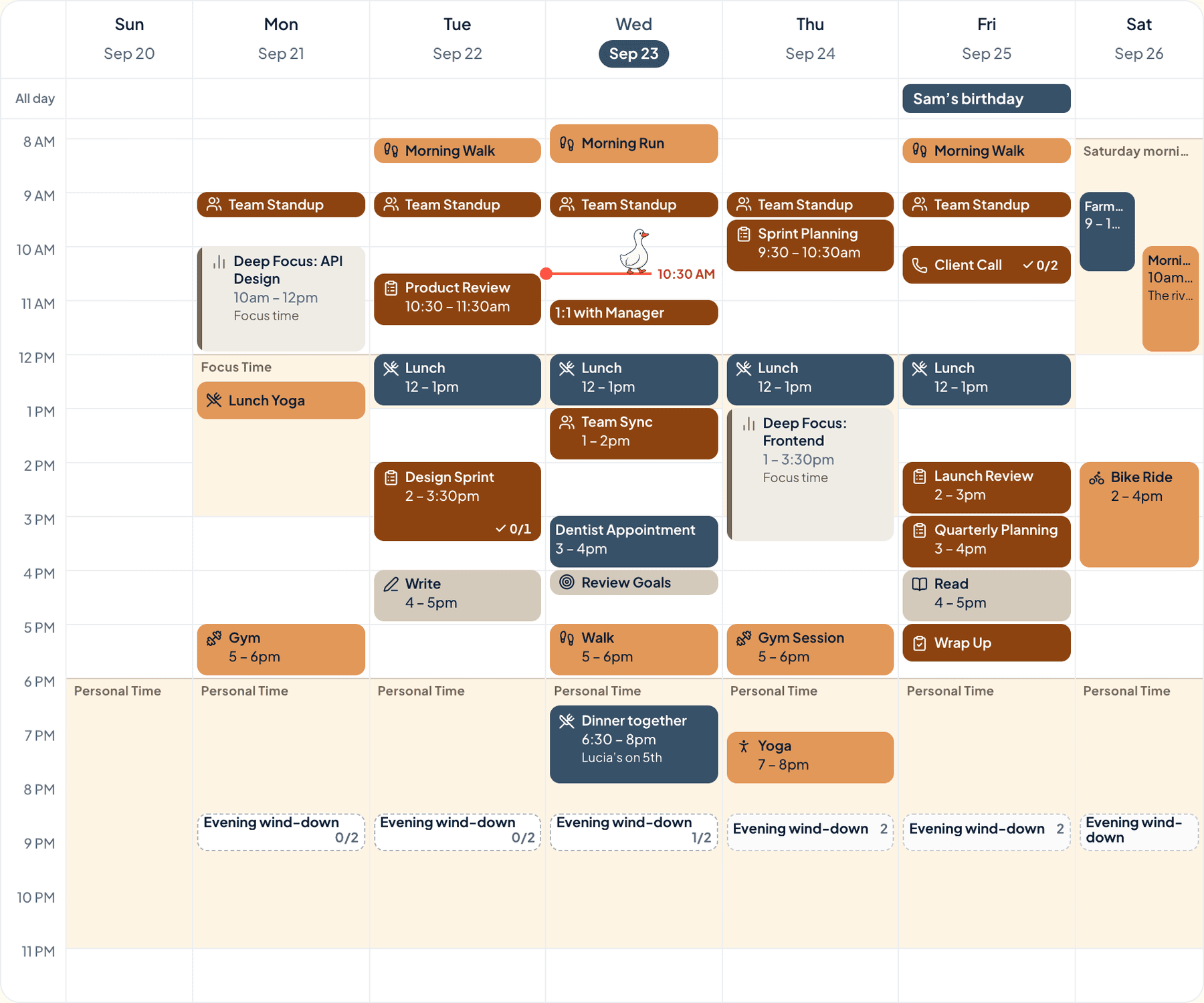
Rust and denim, with amber and linen. It’s your favourite jeans and an old orange jumper: relaxed, a bit worn in, and easy to live with.
Rust & denim
Tap a colour to copy it
Where each colour goes
| Colour | Hex | Use it for |
|---|---|---|
| Work (rust) | #B25D28 | Work blocks, in a warm rust |
| Health (amber) | #E08E45 | Walks and workouts, in a brighter amber |
| Personal (denim) | #3E5C76 | The cool one, for evenings and weekends |
| Goals (linen) | #F0E6D6 | Your goals, on plain linen |
| Accent (dark denim) | #354F65 | Buttons, today’s date and highlights |
| Protected time (linen) | #F0E6D6 | A soft wash over your protected time |
Orange and blue, the easy pair
Orange and blue sit opposite each other on the colour wheel, so each makes the other look better. Both are toned down here, which keeps the contrast friendly. Two warm colours fill the working day, and the one blue marks your own time.
Your week in rust & denim
The week at the top of this post is a real week in Anser, in the Summer Picnic style with the Bold look for categories, so every event shows its full colour. To get the same look, open Settings › Appearance › Colours › How categories look and choose Bold. The palette works in every style.
A comfortable week
- Wear the comfortable thing.
- Fix one small thing you’ve been stepping around.
- A slow Saturday morning. Coffee, radio, no list.
- See a friend in person.
Make it in Anser
The quickest way: tap Use this palette in Anser on the palette. It opens on your own week, to keep or undo. To set it up by hand:
- In Anser, open Settings › Categories. Tap the colour next to Work and paste its hex code. Do the same for Health, Personal and Goals.
- Open Settings › Appearance › Colours and tap Save as my palette, so you can switch back any time.
- Still in Colours, under Accent, choose Your own and paste the accent.
- Open Settings › Boundaries › How protected time looks, choose Your own and paste the protected time colour. It also colours your Deep Focus time.
Changed your mind? Your saved palettes are under See all in Settings › Appearance › Colours.
Pair it with a calm week
No commute, and the day still ends. The Work-From-Home Day is a free schedule template you can add to your calendar or preview in Anser.
Use this in Anser
The Work-From-Home Day
See it on your own week first. One tap to undo.
More palettes like this
Try Anser free for 14 days, no card needed. A calm weekly planner that works with your Google Calendar, in the colours you like.